Log hours once
Hours, notes, and tags stay on one record.
Time Twig
Simple time tracking for crews and office staff.
Time Twig is made for part-time contractors, self-employed workers, seasonal crews, and office staff. Workers can log time fast, and worker links keep working if the internet drops. Managers can check hours and see reports in one place.
Log hours once
Hours, notes, and tags stay on one record.
Catch mistakes early
Managers can fix small problems before they pile up.
See totals fast
Reports and totals come from the same reviewed hours.
Inside the app
How it works
Workers log hours once. Managers review them. Reports and totals use the same record.
Hours, notes, and tags stay on one record.
Workers and managers use the same time record.
Reports, exports, and totals come from that same record.
Dashboard
Open one view to check hours, look at the week, and spot missing details.
Log time
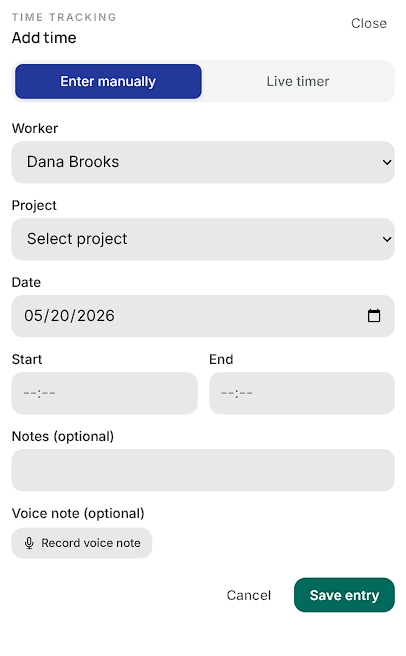
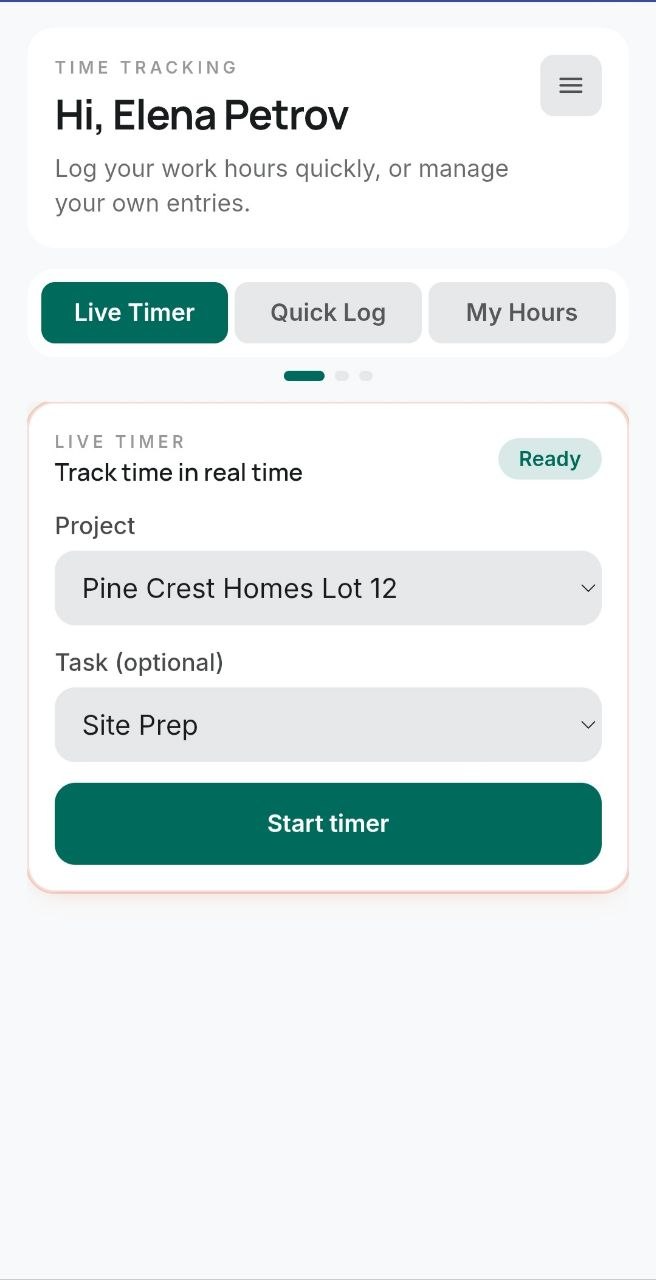
Project, task, notes, and timer stay together on one form.
Jobs and workers
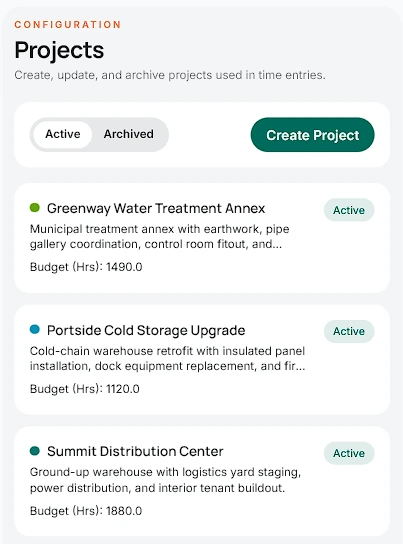
Set up jobs and workers without jumping between tools.
Easy to use
Use the web app, the mobile app, or a simple worker link. Each one is quick to learn and quick to use. Worker links can keep logging hours if the internet drops.
Web app
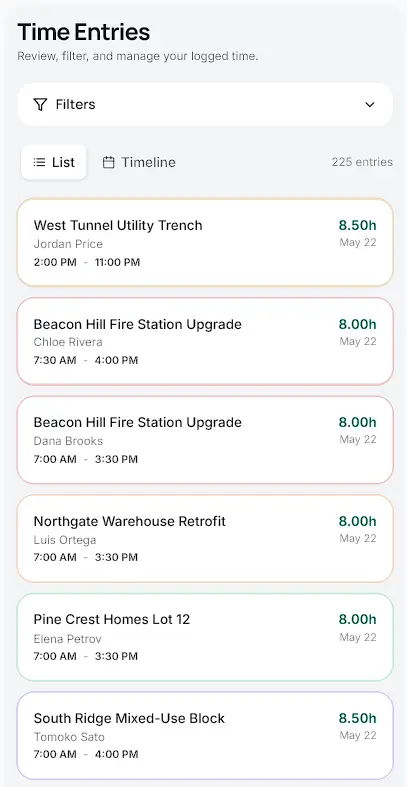
Check new entries, fix missing details, and keep reports up to date.
Web app
Worker links
No full app setup. Open the link, start a timer, add hours, see past entries, and keep logging if the internet drops.
Worker links
Mobile app
Crews can log hours, check their work, and move on fast.
Mobile app
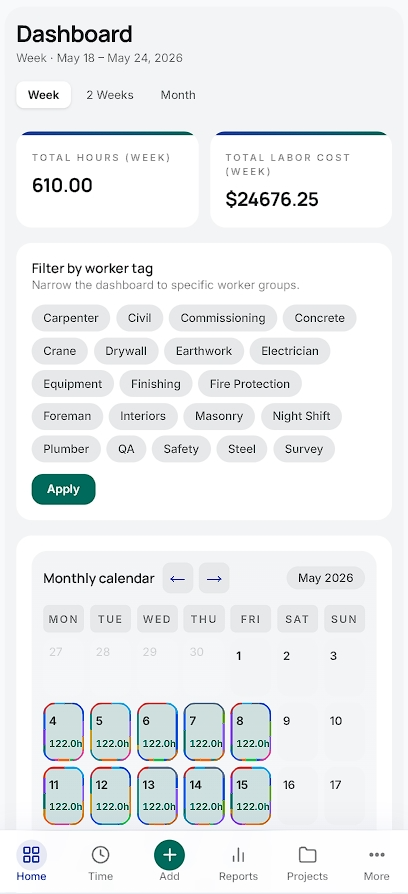
This week
Log the work once.
Check hours before small mistakes turn into big cleanup.
Use that same record for totals, reports, and exports.
Check hours
When time is logged in one place, you can check the day, see totals, and fix small problems early.
See
Time entries, timers, and alerts show what is happening now.
Know
Reports and exports use the same hours your team already logged.
Manage
Projects, tasks, workers, and reports stay together in one weekly flow.
Plan and totals
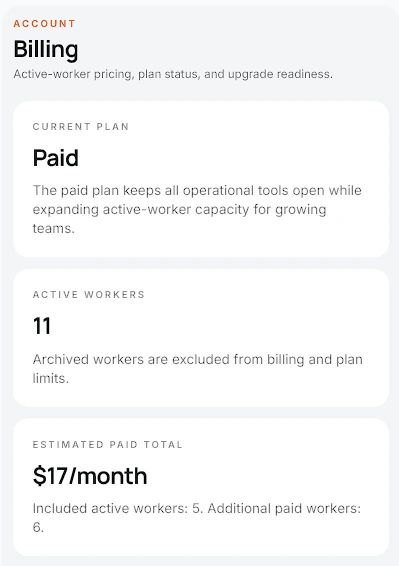
You do not need to leave the app to check usage and totals.
Reports
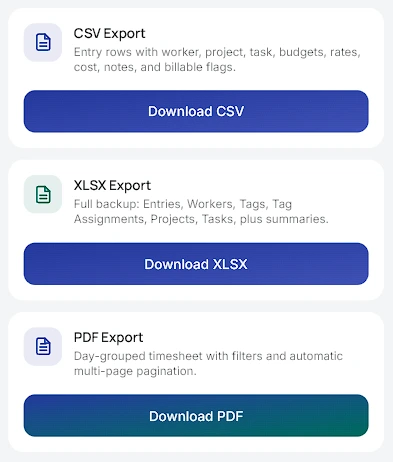
Exports stay close to the filters and totals your team already checked.
Reports and totals
Hours, notes, and exports stay together, so reports and totals are ready sooner.
Reports ready
Reports are built from the same hours your team already checked.
Totals ready
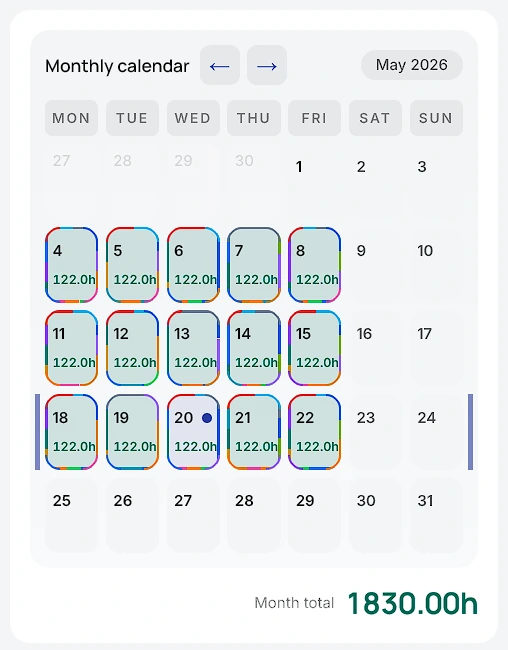
Worker totals and monthly totals stay easy to see.
What you can see
Add notes and hour details while the job is still fresh.
What you can see
CSV, XLSX, and PDF files are built from the same filtered time record.
What you can see
Totals stay next to the time that created them.
What you can see
Less cleanup means faster reports and fewer surprises.
Get started
Good for part-time contractors, self-employed workers, and seasonal crews. Workers can start fast with simple links and easy forms.